Privacy First Design
AI2Fin
Your Finance, Your Way.
Intelligent Financial Management Software
Your finances, sorted. 2Fin automates the busywork, surfaces deductions you'd miss, and turns scattered transactions into clear, intelligent insights you can act on.
Intelligent expense tracking + tax optimization. Free forever plan.

How It Works
Auto Type Detection
Custom Rules
Pattern Analysis
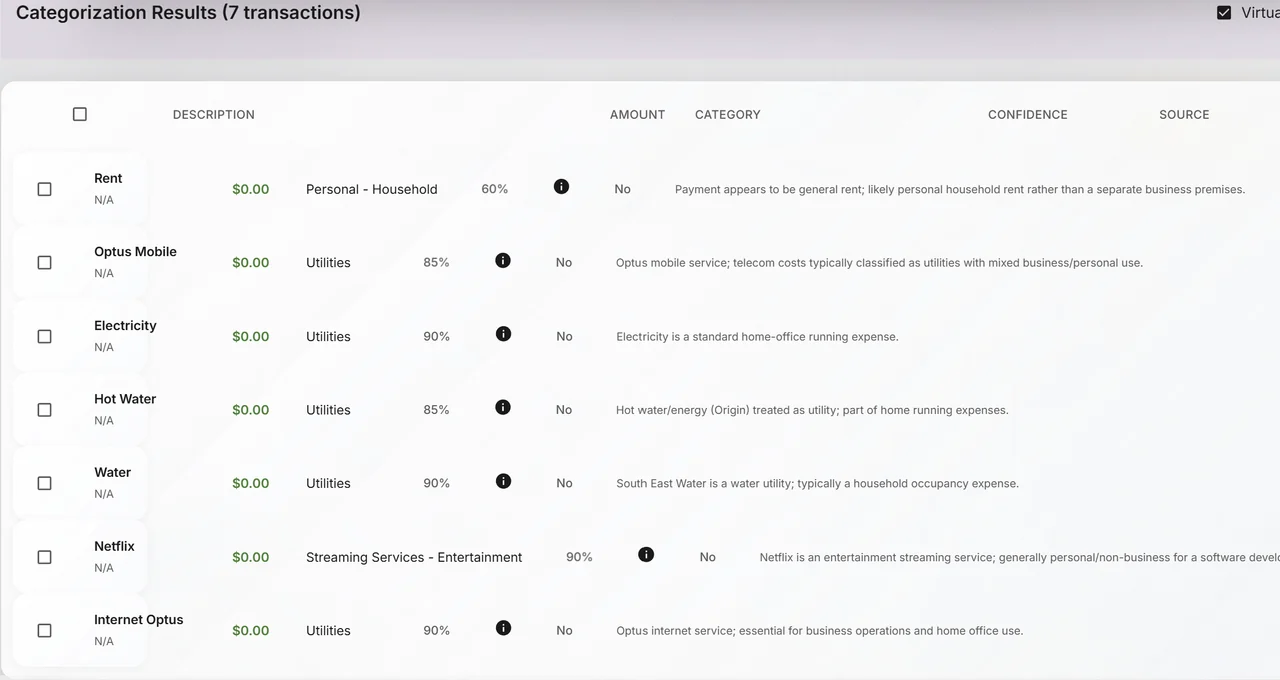
Smart Categorisation
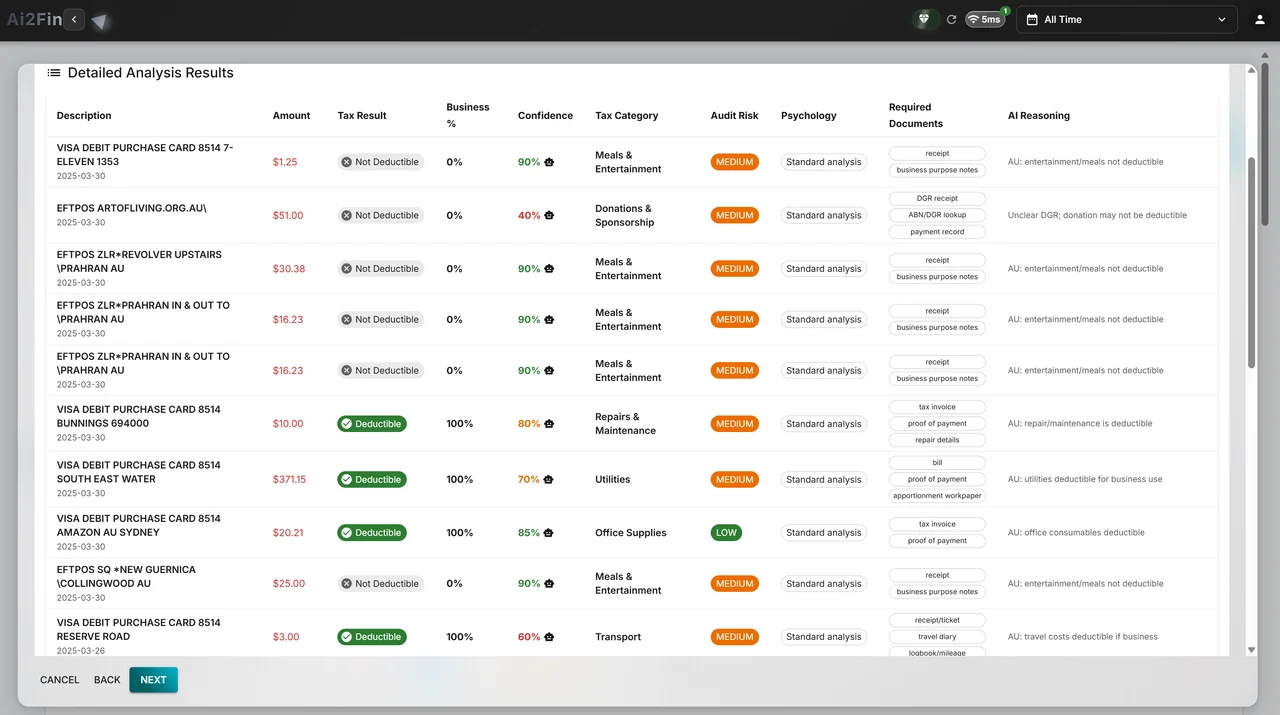
Tax Analysis
Allocations
Fin Assist
Exports
Smart Reports & Insights
Input Streams
Recurring Loop
One-time Flow
Financial data inputs only, no handling or access to real funds
- Free forever plan
- Desktop edition keeps data on your machine
- Fin never sees your bank password
- Reads receipts in any language

How 2Fin fits
The layer that understands your money
2Fin sees your numbers and connected data and arranges them. You keep invoicing in your own tool; when the payment lands in your bank feed, Fin sees it arrive and records it as income.
2Fin, the layer that understandsEvery line gets a category, a tax treatment, its GST, a deduction flag, and the reason Fin chose it.
One ledger that understands your money
Each transaction, and each line of a split payment, is tagged to your job, your business or your private life — and to a property where it belongs, with shares dated from the day they apply. Lenses, your own rules and Fin’s automatic categorisation do the arranging; receipts are matched to their transactions.
How each line is treatedYour refund, live
An estimate of your refund or what you owe for the year, across your salary, your business profit and your rental income, after work-related deductions and PAYG withheld, with the Medicare levy, the low income tax offset and HELP.
Try the income tax calculatorAn Accountant Pack
A year-end workbook, a PDF summary and the receipts, ready to hand to your accountant.
For accountantsYour BAS, prepared
On ELITE+, the Business Activity Statement is prepared from your categorised transactions: G1 to G20, 1A and 1B, W1 and W2, every figure traceable to the lines behind it, printable and ready to lodge through the ATO, myGov or your agent. GST is captured on every transaction on every plan. The VAT return in the UK and the GST returns for Canada, New Zealand and Singapore are prepared the same way.
BAS and tax treatmentHome decisions, weighed
Working from home or running a business there: deduct occupancy costs now, or keep the full main residence exemption? Weighed with your own figures.
Try the free toolYour assistant can read it
Connect Claude, ChatGPT or another assistant through 2Fin’s MCP server and ask about your records. The consent screen names every permission it asks for, including any access to change your records.
Connect an assistant- Also on the free plan
Or keep every record on your own machine
The desktop app keeps your books in an ordinary folder on your computer. Your devices stay in step through storage you already own, and nothing passes through Fin.
Get the Windows app Invoicing?
Bring the tool you already use. Record what a client owes, or upload the invoice, and Fin matches the payment when it lands and counts it as income. Connect your assistant and it can draft the next invoice in your tool from what 2Fin knows.
Invoicing with any tool
Fin+
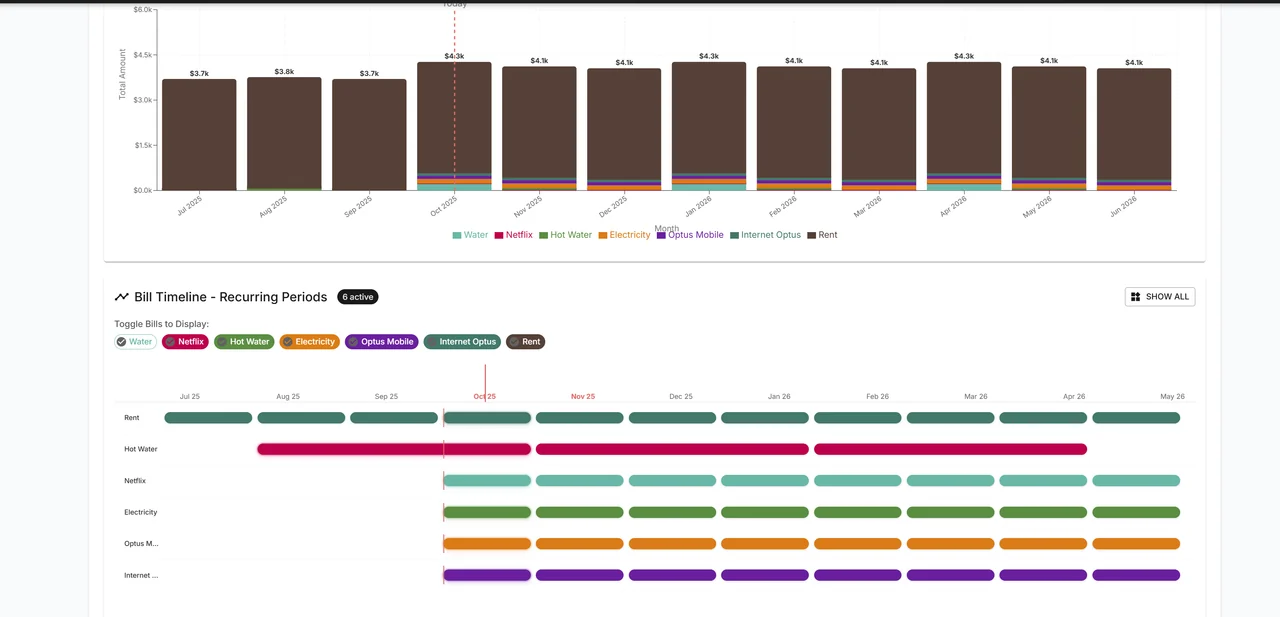
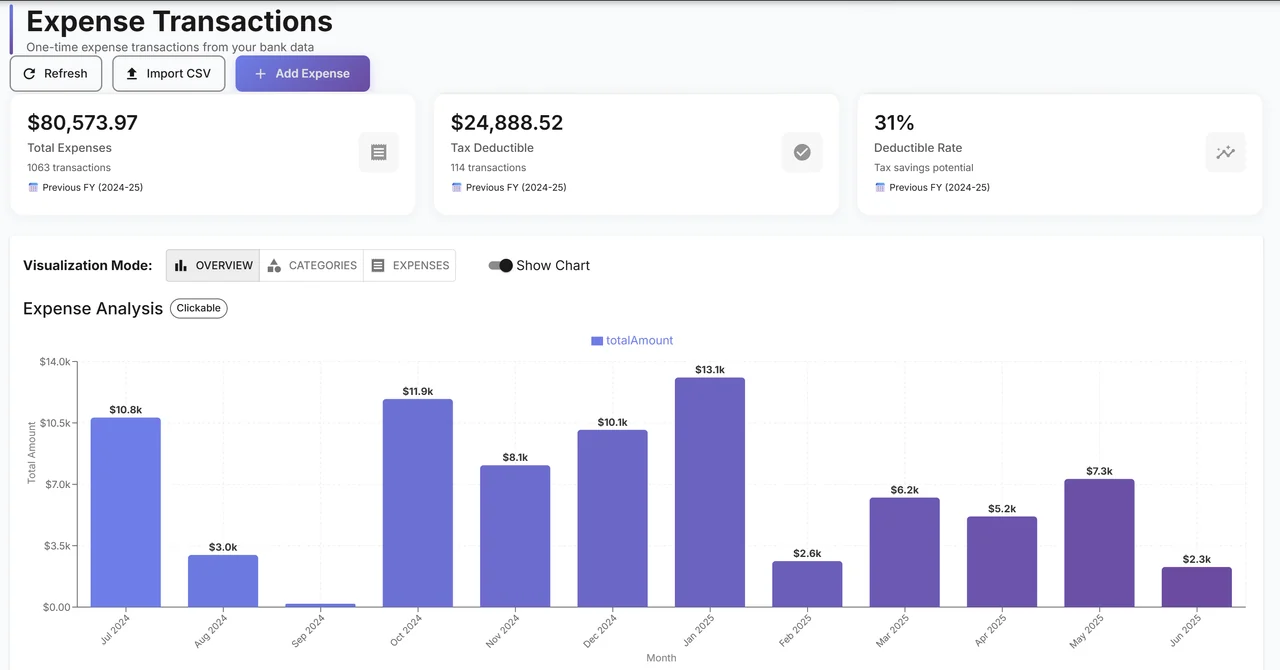
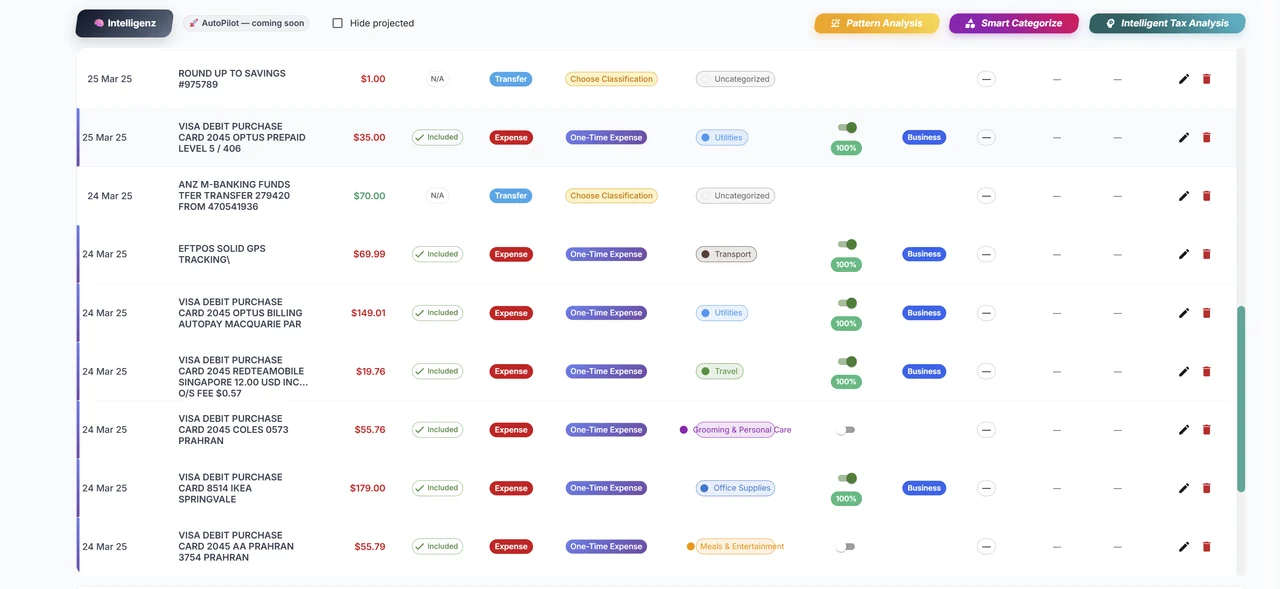
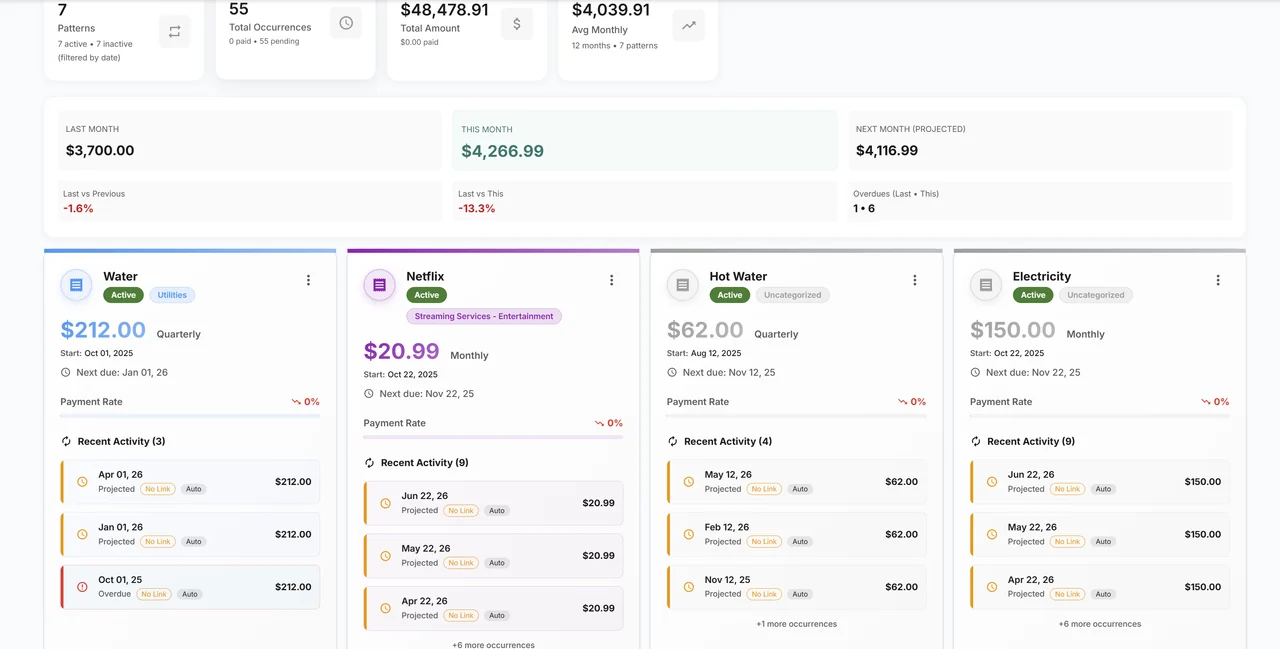
Multidimensional View into your Financial Data
Search, filter, edit and bulk-manage every transaction, then see the same records by pattern, one-off, or all at once.
Personalise and automate
Your rules, Fin's categorisation and a tax engine that cites its sources, arranged around how you earn.
Fin+
Ask Fin
Ask Fin, in plain words
Questions about budgeting, strategy or anything in between. Upload a receipt and it is read on the spot. Link a transaction or a customer from the chat and keep rolling.
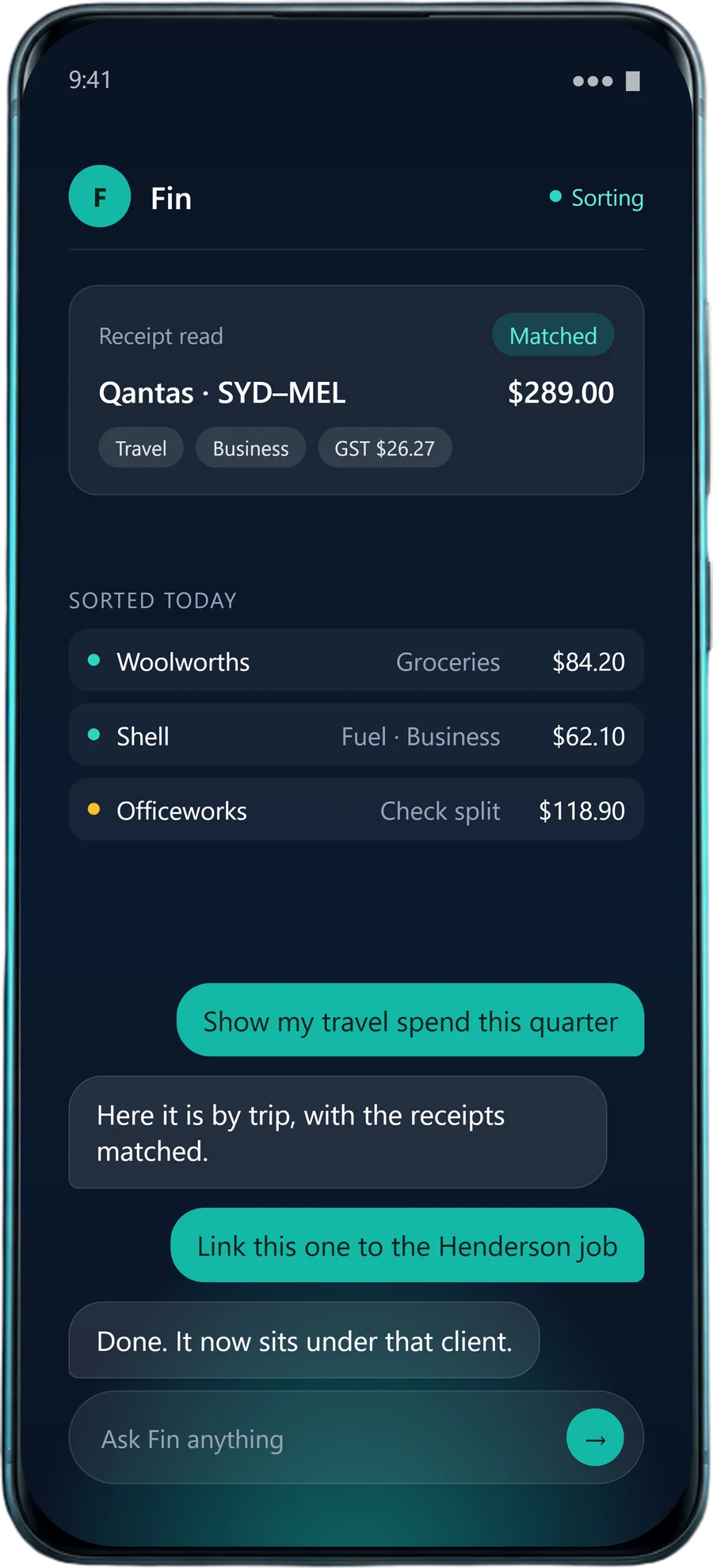
On the phone: Fin has read a Qantas receipt, matched it, and tagged it Travel, Business, with its GST.
- You: Show my travel spend this quarter
- Fin: Here it is by trip, with the receipts matched.
- You: Link this one to the Henderson job
- Fin: Done. It now sits under that client.
Act right from the chat
Fin is your quick helper: ask, then act, without leaving the conversation.
- Say "show my travel spend" and Fin brings the totals to you.
- Link a transaction or a customer from the chat and keep rolling.
- Drop or upload a receipt and it is read in any language, auto-linked with your rules, and the matching expense is created on the spot.
Finance admin on autopilot
Turn on the routines you want and 2Fin runs the boring finance chores while you stay in charge.
- GST, VAT and other sales taxes worked out, so reports are lodge-ready
- Bank feeds or inbox imports, or keep it simple with quick CSV drops
- Deeper workflows with your team, through the API and signed webhooks
Your data can stay on your machineVerify it yourself →
AI2Fin pricing and plans
2Fin is free to start. Premium is US$23 a month (US$222 a year), ELITE+ is US$42 a month (US$432 a year) and AUTO+ is US$54 a month (US$555 a year), billed in US dollars.
Hover, tap or tab to any underlined feature to learn more.
MonthlyAnnual Save up to 20%
FREE
Free
No card, no time limit
For getting every record in one place, at no cost.
Included
- CaptureStatement uploads: CSV, Excel or PDF into buckets
- Connections In: live feeds from your own sheet or bank-feed provider account
- OrganiseAll transactions, bills and money you are owed
- Budget allocations
- Property costs, split by use
- AutomateAsk Fin about your money: 25 messages a month
- ShareDesktop app, data on your machine
Most Popular
PREMIUM
US$23
USD / month
For employees and sole traders who want every deduction found and the busywork done.
Everything in Free, plus
- CapturePhoto receipt capture
- OrganiseAutomatic categories
- Custom rules
- TaxTax analysis that knows your situation
- ATO myDeductions and tax exports
- AutomateAsk Fin about your money, unlimited
Best Value
ELITE+
US$42
USD / month
For businesses and accountants who lodge, report and keep the books.
Everything in Premium, plus
- OrganiseLenses: views by project, client or tax
- TaxBAS, VAT and GST reporting
- Property depreciation and schedules
- AutomateFin, your assistant
- ShareOutbound DestinationsGoogle SheetsMicrosoft ExcelNotionAirtable
- Xero and QuickBooks Online push
Most Automated
AUTO+
US$54
USD / month
For owners who want receipts and reports to arrive on their own.
Everything in ELITE+, plus
- CaptureEmail receipt forwarding
- AutomateWebhooks and automations
- Reports on autopilot
Swipe to see every plan
Compare all features
Every 2Fin plan side by side, grouped by what you do
| Feature | FREEUS$0 | PREMIUMUS$23 / month | ELITE+US$42 / month | AUTO+US$54 / month |
|---|---|---|---|---|
| Capture | ||||
| Statement uploads into bucketsCSV, Excel or PDF. On the free desktop app, statements come in through the CSV import instead | Included | Included | Included | Included |
| Live feeds from your own sheet or bank-feed accountA Google Sheet, or a provider account you hold such as SimpleFIN or BankSync | Included | Included | Included | Included |
| Photo and PDF receipts, read and matchedRead in the language they are printed in | Not included | Included | Included | Included |
| Forward receipts by email | Not included | Not included | Not included | Included |
| Organise | ||||
| Transactions, categories and bills in one placeIncluding recurring payments | Included | Included | Included | Included |
| Upcoming bills, pay days and money you are owedPayments matched to what you are owed as they land | Included | Included | Included | Included |
| Budgets against what you actually spent | Included | Included | Included | Included |
| Travel and vehicle trips | Included | Included | Included | Included |
| Properties: what each one really costsRented, business and private parts | Included | Included | Included | Included |
| Automatic categories | Not included | Included | Included | Included |
| Your own categorising rules | Not included | Included | Included | Included |
| Spending and bills analytics | Not included | Included | Included | Included |
| Views by project, client or tax purposeCalled Lenses in the app; the Properties lens is built in on every plan | Not included | Not included | Included | Included |
| Tax | ||||
| Tax analysis that knows your situation | Not included | Included | Included | Included |
| Tax exports, including ATO myDeductions | Not included | Included | Included | Included |
| Tax reports and summaries | Not included | Not included | Included | Included |
| BAS, VAT and GST statements | Not included | Not included | Included | Included |
| Asset register, depreciation, profit & loss and TPAR | Not included | Not included | Included | Included |
| Property write-offs and scheduleDepreciation, capital works, a schedule for your accountant | Not included | Not included | Included | Included |
| Automate | ||||
| Ask Fin about your money | 25 messages a month | Unlimited | Unlimited | Unlimited |
| Fin reads the files you upload | Not included | Included | Included | Included |
| Fin, your assistant, with its own workspace | Not included | Not included | Included | Included |
| Your week in review, on the dashboard | Included | Included | Included | Included |
| Signed webhooks for Zapier, Make and n8n | Not included | Not included | Not included | Included |
| Reports emailed on the schedule you set | Not included | Not included | Not included | Included |
| Share | ||||
| Push to Google Sheets, Excel, Notion or AirtableBank-feed transactions included | Not included | Not included | Included | Included |
| Send transactions to Xero or QuickBooks OnlineCoded, with the receipt attached | Not included | Not included | Included | Included |
| Practice workspace for accountantsYour clients can be on any plan | Not included | Not included | Included | Included |
| Connect Claude or ChatGPT, with the access you approveWhat they can read follows your plan | Included | Included | Included | Included |
| Desktop app, with your data on your machine | Included | Included | Included | Included |
ENTERPRISE
Custom
Enterprise-grade data control is the default here — on every plan.
Your records can stay on your own machine or in your own cloud, telemetry stays off unless you turn it on, and Fin keeps an auditable record of everything it sends. Enterprise adds the people and the paperwork: dedicated support, custom deployment and reviews for large-scale operations.
Verify it yourself- Custom requirements
- Local deployments
- Regional deployments
- Enterprise-grade compliance
- AES-256 encryption
- GDPR-aligned
- Cancel anytime
- ATO-ready exports
- Setup in 5 minutes
What 2Fin does
From raw records to finished books
2Fin is a tax and money app for employees, sole traders and people who are both — available in 88 countries — as well as freelancers, students, property investors and small businesses. You bring in bank feeds, statements and receipts; Fin puts every transaction in a category, flags the work-related and business deductions you may be able to claim, shows a live estimate of your refund or what you owe, and sends the finished records to your ledger, spreadsheet or assistant.
Want the full product tour? Watch the 45-second demo
Connect to the tools you already use
Records come in through feeds and files you control. Fin sorts them, then sends the finished rows to the ledger, sheet or assistant you already work in.
Tap a mark for details, tap again to open it.Hover or focus a mark for details.
Bank-feed transactions travel out alongside everything else you bring in. The full detail for each connection lives on its own page: accounting integrations, destinations and MCP. For tax rates inside any assistant, the free Tax MCP answers with source-cited GST, VAT, income and company tax figures, each linked to the authority it was verified against and dated, with no login. Building your own? The API, webhooks and developer docs show how to plug 2Fin into the rest of your stack.
In detail
See every integration- Sources
- 6 bank feeds · files · receipts
View all sources
Bank feeds
- BankSync
- SimpleFIN
Bank feeds in the desktop app
- Akahu
- Up Bank
- Monzo
- Starling
Files
- CSV, XLSX, PDF or OFX
- Google Sheet feed
Receipts
- Photo, or email and WhatsApp on AUTO+
- Destinations
- 2 ledgers · 4 workspaces · webhooks · MCP
View all destinations
LedgersBeta
- Xero
- QuickBooks Online
Workspaces
- Google Sheets
- Microsoft Excel
- Notion
- Airtable
Webhooks
- Signed events for Zapier, Make or n8n
Assistants
- ChatGPT / Claude: via MCP, with the access you approve
- Languages
- Receipts in any script · interface 9
View all languages
Receipts
- Any language or script, with the merchant name kept as printed and a translation beside it
Interface
- English
- German
- Spanish
- French
- Hindi
- Portuguese
- Japanese
- Chinese
- Vietnamese
Coverage
- More pages are being translated
- Access
- Your bank keys · ChatGPT and Claude with the access you approve
View all access
Bank feeds
- Connected with your own provider account or key
- Fin never asks for your bank password
- Provider tokens are stored encrypted
Assistants
- ChatGPT and Claude connect through MCP after a consent screen
- It names every permission, including any access to change your records
Desktop app
- Keeps your books in a local database on your computer
Webhooks
- Every delivery is signed with HMAC-SHA256
Full detail integrations and languages
You bring records into 2Fin through bank feeds you connect with your own provider account or key: SimpleFIN and BankSync, plus Akahu, Up Bank, Monzo and Starling in the desktop app. You can also import CSV, XLSX, PDF or OFX files, connect a Google Sheet feed, or send receipts as a photo, or by email or WhatsApp on the AUTO+ plan. Fin sends sorted transactions to Xero and QuickBooks Online, both in beta, as coded Spend/Receive Money or Purchase/Deposit entries with the receipt attached. Sorted rows also go to Google Sheets, Microsoft Excel, Notion and Airtable, and out as signed webhooks you can connect to Zapier, Make or n8n. ChatGPT and Claude connect through MCP after a consent screen that names every permission the assistant asks for, including any access to change your records; an assistant that asks to read only stays read-only. Fin reads receipts in any language or script and keeps each merchant name as printed, with a translation beside it. The interface is available in 9 languages: English, German, Spanish, French, Hindi, Portuguese, Japanese, Chinese and Vietnamese, with more pages being translated.
Or keep every record on your own machine
The desktop app keeps your books in an ordinary folder on your computer. Your devices stay in step through storage you already own, and nothing passes through Fin. How sync worksAbout the local edition
Strategic Clarity
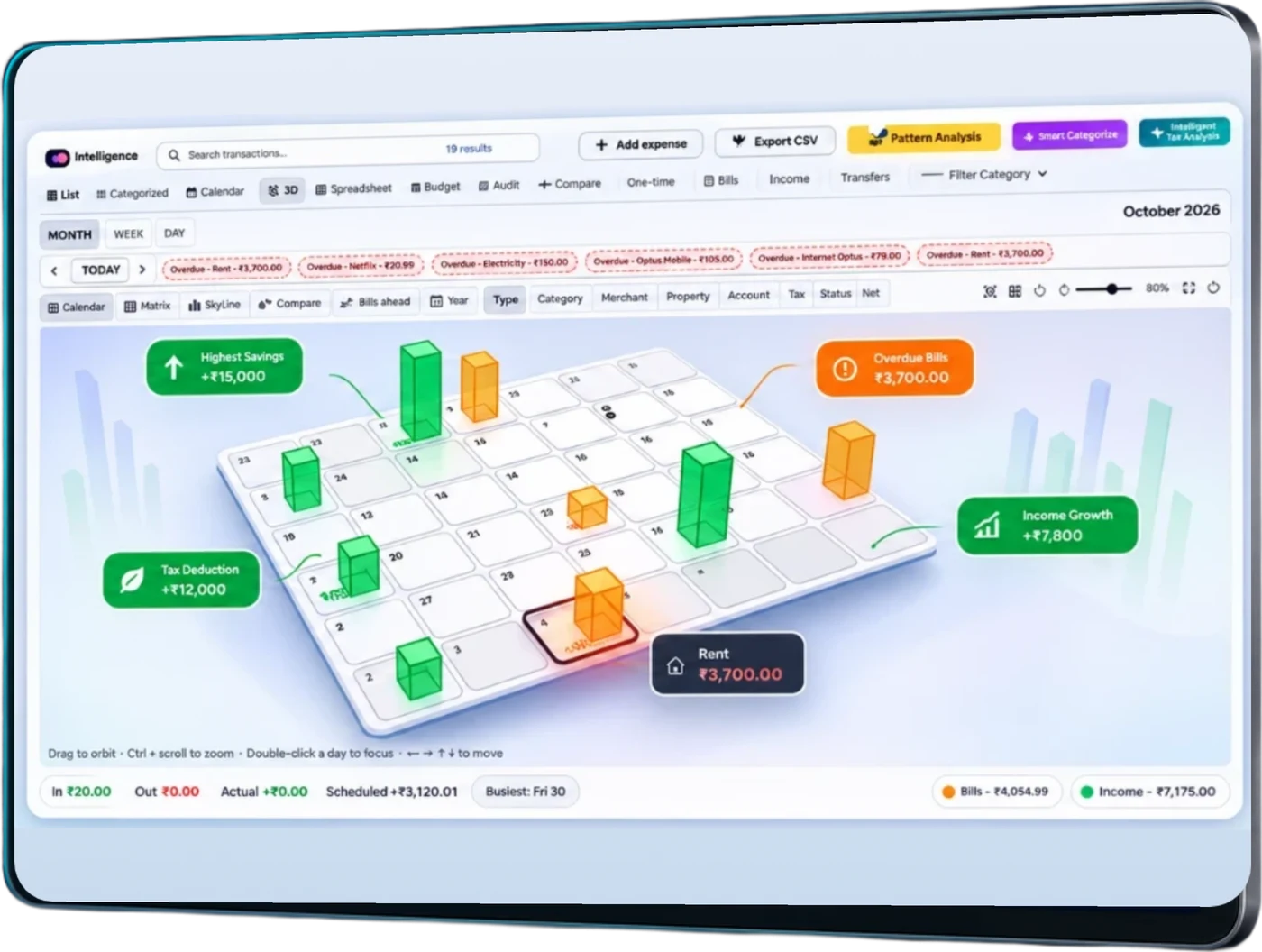
Your full financial city planning view
Turn every transaction into a living skyline of patterns and momentum. Spot peaks early and plan with calm confidence using advanced visualization tools.
✓Pattern Recognition
✓Trend Forecasting
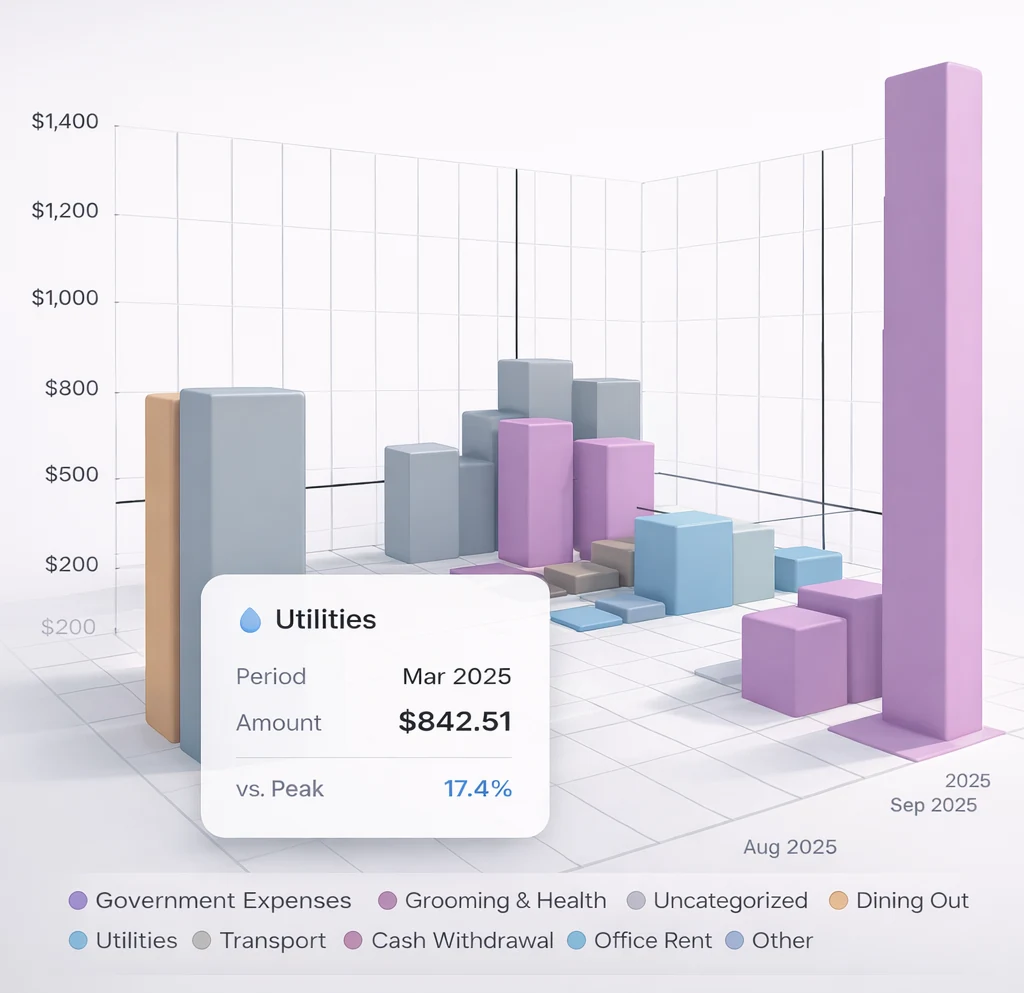
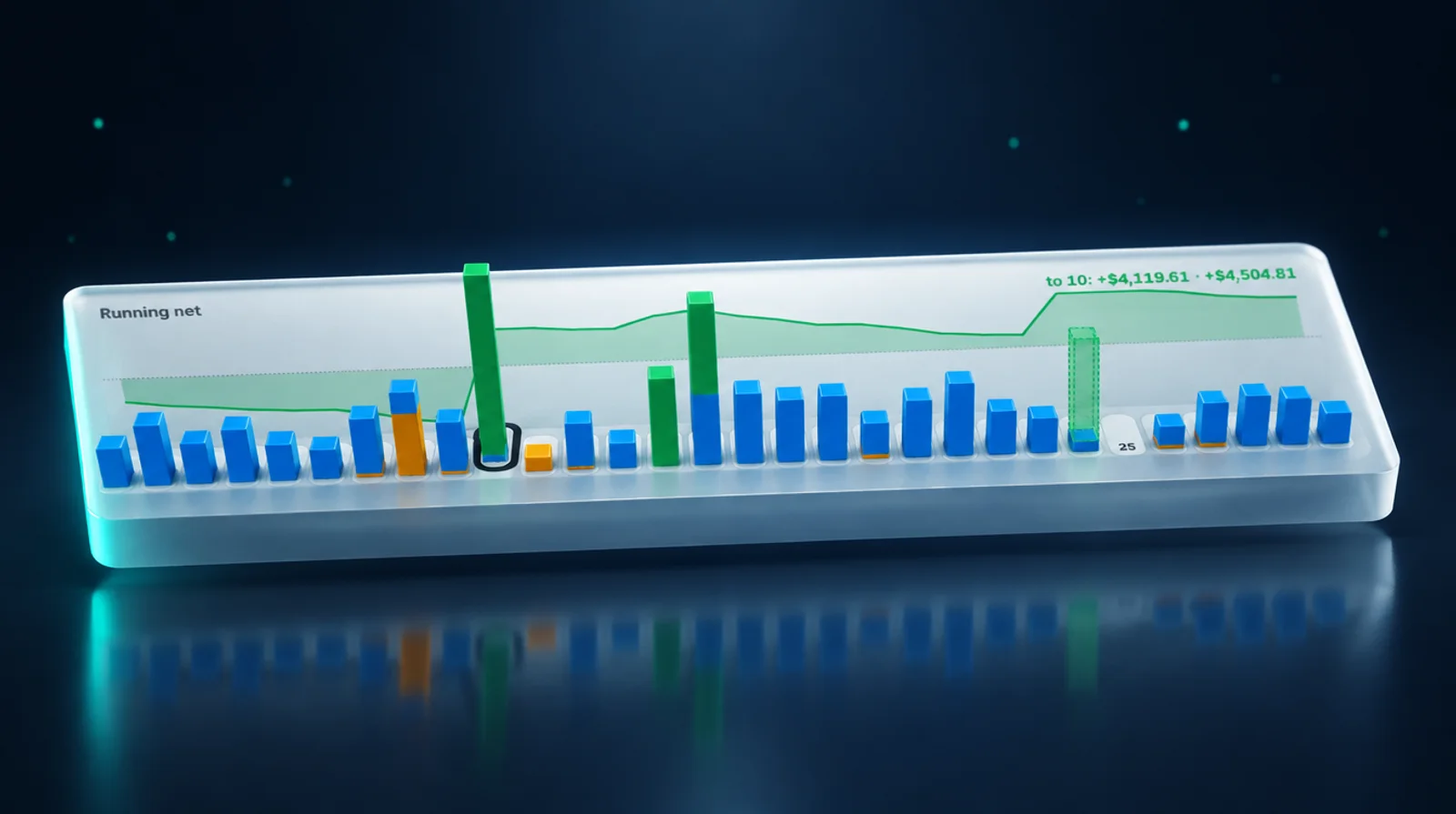
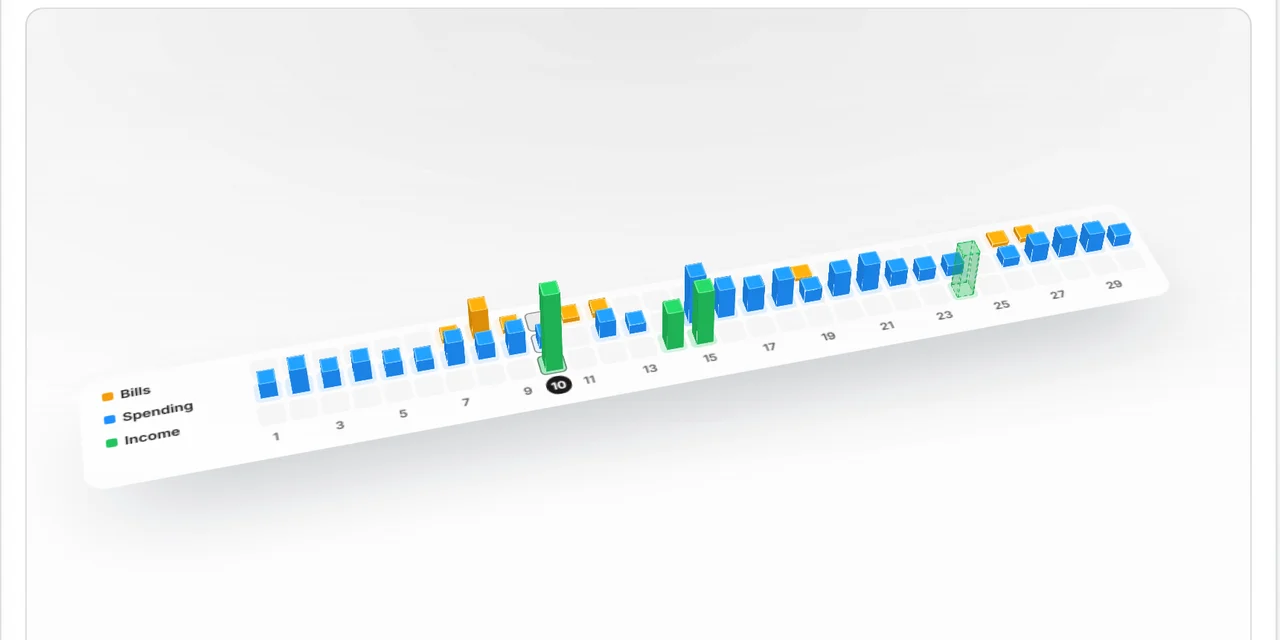
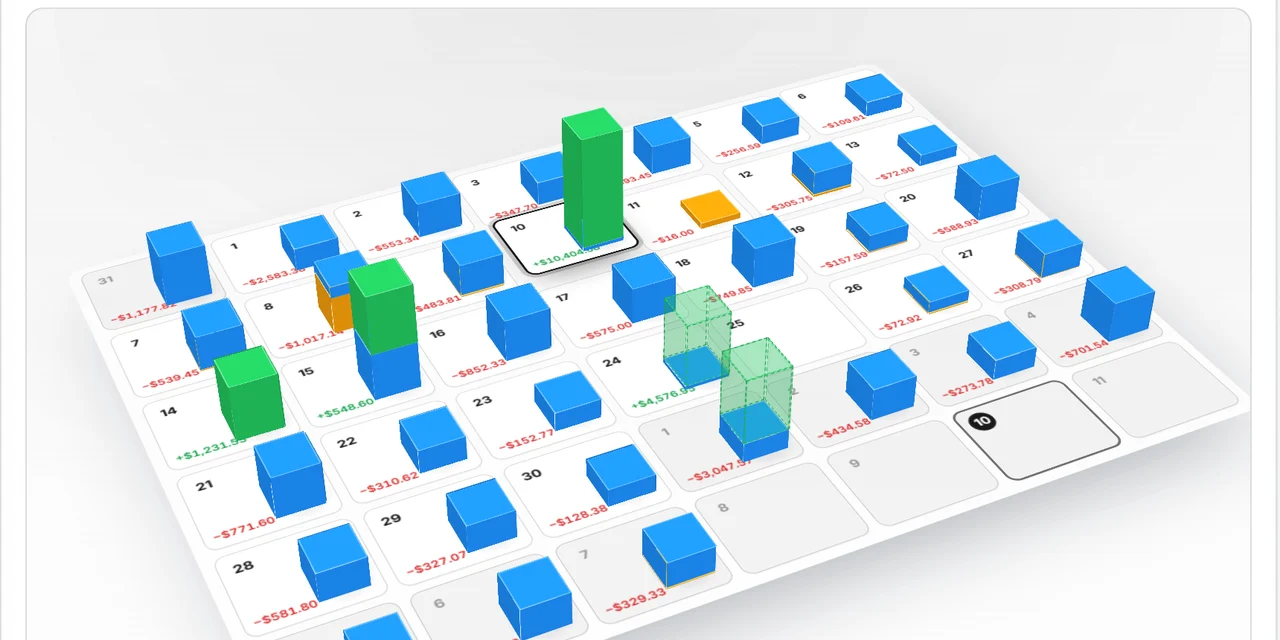
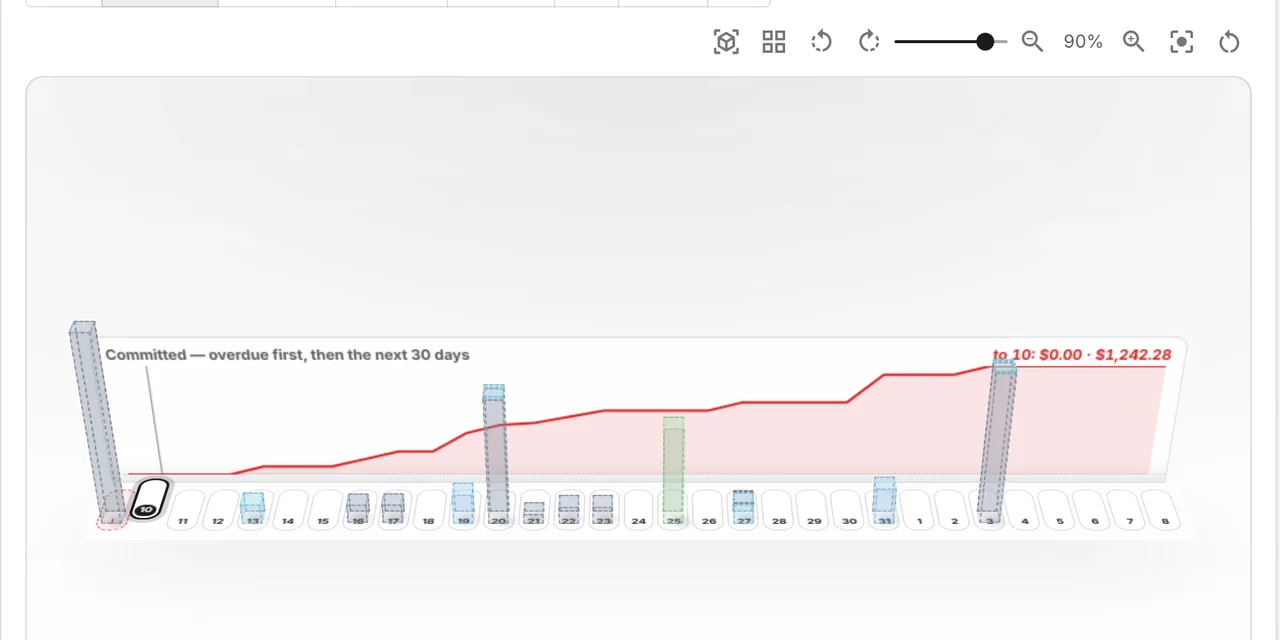
Every category over time, peaks marked. Swipe for the 3D calendar. Interactive 3D views
See what users are saying
2Fin users save time and maximize deductions - see their experiences!
RG
Recent Graduate
Sole Trader
"2Fin helped me understand complex tax systems and maximize efficiency. The intelligent categorization saved me hours every week."
ST
Student
Part-time Worker
"Perfect for keeping on top of bills. Seeing every recurring charge in one list, already categorised, is the part I use most."
SB
Small Business Owner
Entrepreneur
"The automated bookkeeping and tax optimization features have transformed how I manage my business finances. Highly recommended."

Secure by Design, From Feed to Export
Feeds you connect with your own key. Fin never sees your bank password and never holds your money.
Read-only connections, encrypted at rest, and a desktop edition that keeps everything on your machine.
Your Records, On Any Screen
In your browser on any device, phone included, and as a Windows app.
One account in the cloud, or a free desktop edition that keeps its books in a folder you own.
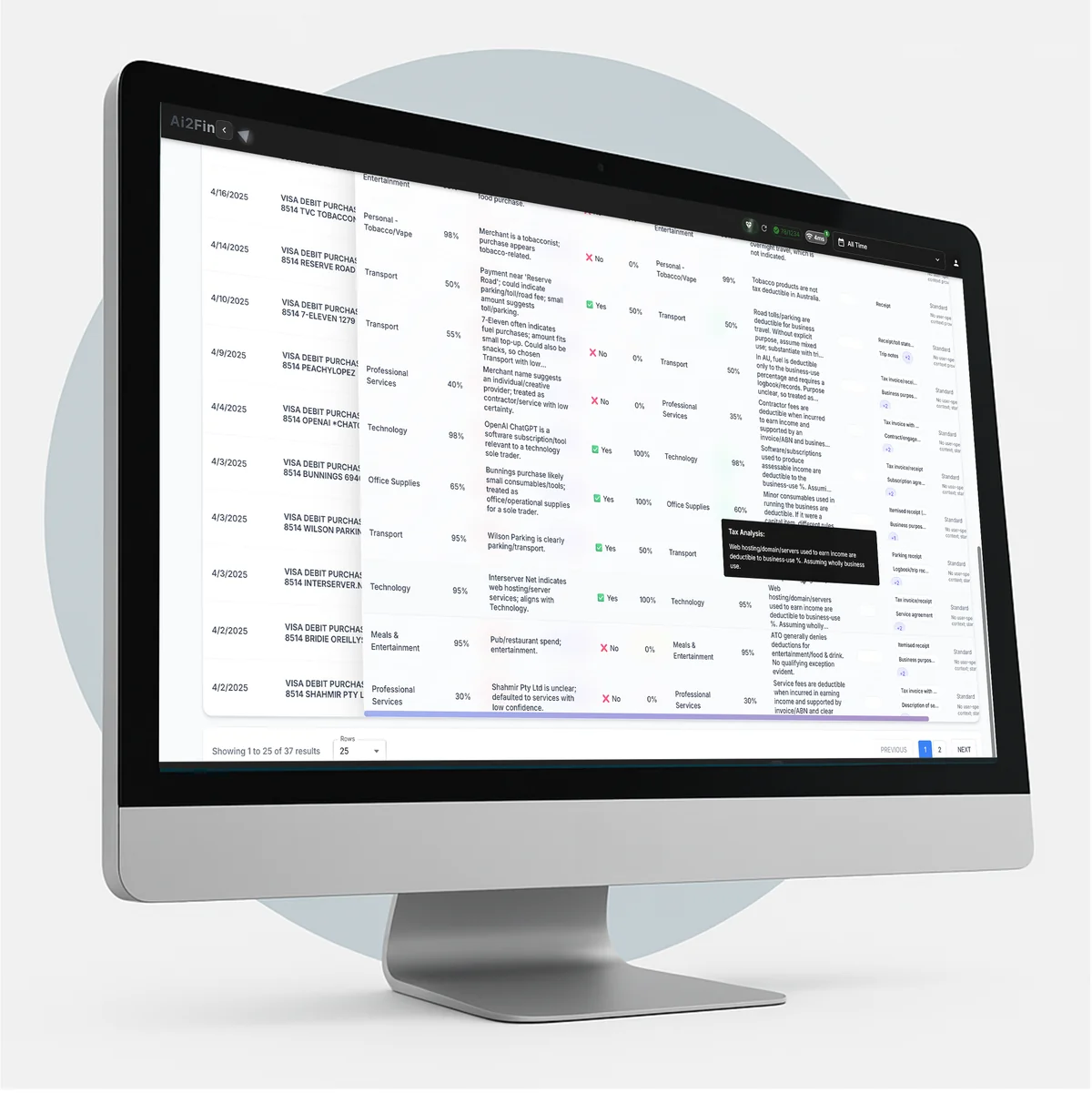
Intelligent Transaction Analysis & Tax Insight
Every line carries a category, a tax treatment and the reason Fin chose it.
Deduction flags and GST codes on every row, so your return is a review, not a reconstruction.
Anytime, anywhere
with complete privacy & freedom
In your browser on any device, phone included, and as a Windows app. Choose how you use it.
Curious how your data is handled? Read the security & trust center
